


What Do You Need to Clean a Phone Speaker Grille?
To clean a phone speaker grille, you need a soft, dry brush, a lint-free cloth and good light.
- A soft, dry brush: a new, clean toothbrush or a small soft paintbrush.
- A lint-free cloth: a microfibre cloth for the area around the grille.
- Good light: a lamp or a second phone's torch, so you can see the holes.
Lint in the grille is a common cause of a weak speaker; see phone speaker not working for the others.
How to Clean a Phone Speaker Grille
- Power off the phone and remove the case.
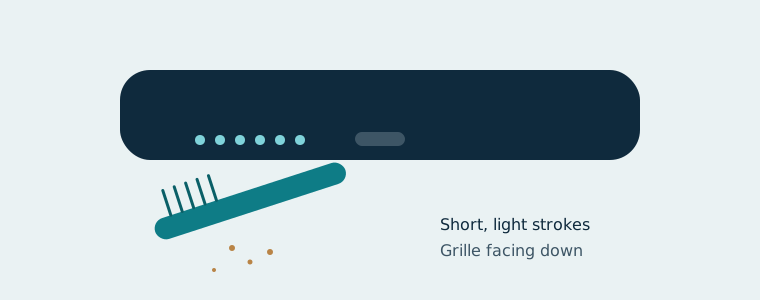
- Tilt the phone so the grille faces down.
- Brush across the holes with short, light strokes, so dust falls out rather than in.
- Wipe the edge of the phone with the lint-free cloth.
- Run one 30-second Dust Clean cycle on the speaker cleaner to shake out what's left.
What Should You Never Use on a Speaker Grille?
Never use sharp tools, compressed air or liquid on a speaker grille.
- Pins or needles: they can pierce the mesh or the diaphragm behind it.
- Toothpicks: wood splinters can break off inside the holes.
- Cotton buds: fibres catch in the mesh and push grime deeper.
- Compressed air: Samsung warns it can damage the device.
- Liquid sprayed into the openings: moisture can reach the speaker and the electronics.
Can You Use Alcohol to Clean a Speaker Grille?
It depends on where the alcohol goes. Phone makers allow wiping the outside surfaces of some phones with a cloth lightly dampened with isopropyl alcohol, but the rules vary by model. Check your maker's cleaning guide first. Never pour or spray alcohol into the speaker holes.
Do Putty and Tape Work on Speaker Grilles?
It depends on the material, and neither is advice from phone makers. Some people press cleaning putty or painter's tape onto the grille to lift lint. Both can leave residue in the holes, especially when warm. If you try either, press lightly and check the holes afterwards.
How Often Should You Clean the Grille?
It depends on where you keep the phone. Clean the grille when you notice the volume or clarity dropping. Phones carried in pockets collect lint faster and may need it every few months. The same care suits laptops; see the laptop speaker cleaner.
What If the Speaker Is Still Muffled After Cleaning?
If the speaker is still muffled after cleaning, the cause may not be dust.
- Run the speaker cleaner in Water Eject mode if the phone was wet.
- Check the other causes in phone speaker muffled, such as a case, a setting or a pressure change.
- Clean the call speaker with the earpiece cleaner if callers sound muffled.
Speaker cleaner
Free speaker cleaner that plays a 165 Hz tone to push water and dust out of iPhone and Android speakers.