


Does iPhone Have a Built-In Water Eject Feature?
No, iPhone doesn't have a built-in water eject feature. The Apple Watch Water Lock feature plays tones to clear the watch speaker, but iPhone has no matching setting. A browser tool like the one above, or a community-made shortcut, plays the same kind of tone instead.
How to Eject Water From an iPhone Speaker
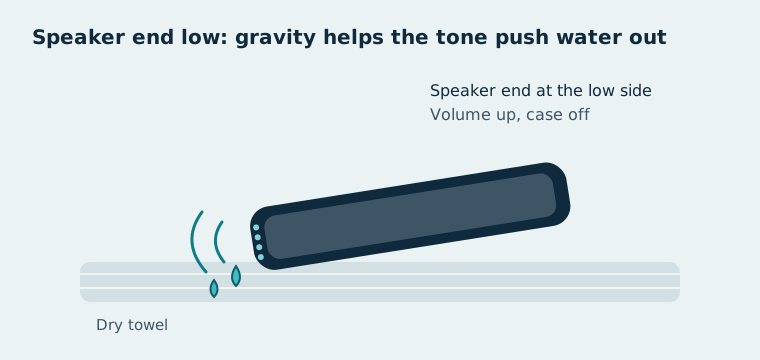
To eject water from an iPhone speaker, play a 165 Hz tone at high volume with the speaker facing down, in 30–60 second cycles.
- Remove the case, so it can't trap water against the speaker holes.
- Turn off Bluetooth, so the tone plays through the iPhone's own speaker.
- Raise the media volume with the side buttons. The tone above plays as media, so the Ring/Silent switch doesn't mute it.
- Open this page in Safari and choose Water Eject.
- Place the iPhone speaker-side down on a dry towel.
- Press Start. Run 30–60 seconds, and repeat up to 3 cycles.
The tone comes from the same speaker cleaner used on every ClearSpeakers page. After the last cycle, play a song or a voice note to check the sound.
Which iPhone Speakers Can You Clean?
You can clean both iPhone speakers: the bottom speaker and the earpiece.
- Bottom speaker: the grille next to the charging port. It plays media, alarms and speakerphone.
- Earpiece: the slot above the screen. On iPhones with stereo sound, it doubles as the second speaker when you play media. Use the gentler Earpiece mode for it.
What Is the Water Eject Shortcut?
The Water Eject shortcut is a community-made automation for Apple's Shortcuts app that plays a low tone to push water out of the speaker. It isn't made or published by Apple. It uses the same method as the tool on this page.
Shortcuts made by other people can run actions on your iPhone. Read what a shortcut does before you add it, and only install one from a source you trust. A browser tool needs no install at all.
What Does "Liquid Detected" Mean on iPhone?
"Liquid detected" means your iPhone found liquid in its Lightning or USB-C port and has paused charging and accessories until the port is dry. iPhone XS, iPhone XS Max, iPhone XR and later models show this alert, according to Apple. The speaker tone doesn't dry the port. Follow the steps for the liquid detected alert.
How Water-Resistant Is Your iPhone?
Your iPhone's water resistance depends on the model, from 1 metre for 30 minutes on older models to 6 metres on recent ones.
| Models | Rating | Maximum depth | Time |
|---|---|---|---|
| iPhone 7, 7 Plus, 8, 8 Plus, X, XR | IP67 | 1 metre | 30 minutes |
| iPhone XS, XS Max | IP68 | 2 metres | 30 minutes |
| iPhone 17 | IP68 | 6 metres | 30 minutes |
Ratings for other models are listed on Apple's specifications page for each iPhone. The ratings come from lab tests in still fresh water. For what the numbers mean, see IP68 vs IP67.
Does Water Resistance Wear Off?
Yes, water resistance wears off over time. Apple notes that resistance isn't permanent and can decrease from normal wear. Drops, cracks and repairs can break the seals sooner.
What If Your iPhone Speaker Is Still Muffled?
If your iPhone speaker is still muffled after 3 cycles, dry the phone and check for other causes.
- Dry it the way Apple advises: tap it gently with the port facing down, then leave it in a dry place with airflow.
- Skip the rice. Apple warns that rice particles can damage an iPhone; read more on putting a wet phone in rice.
- Test the speaker after it dries with the speaker test.
- Get service if there's no sound, or crackling continues after 24 hours.
Does AppleCare Cover Liquid Damage?
AppleCare+ covers accidental damage, including liquid damage, for a service fee, but Apple's standard warranty doesn't cover liquid damage. Terms and fees vary by country and plan, so check your AppleCare+ agreement before booking a repair.